 MisNotas
The whole school in one dashboard
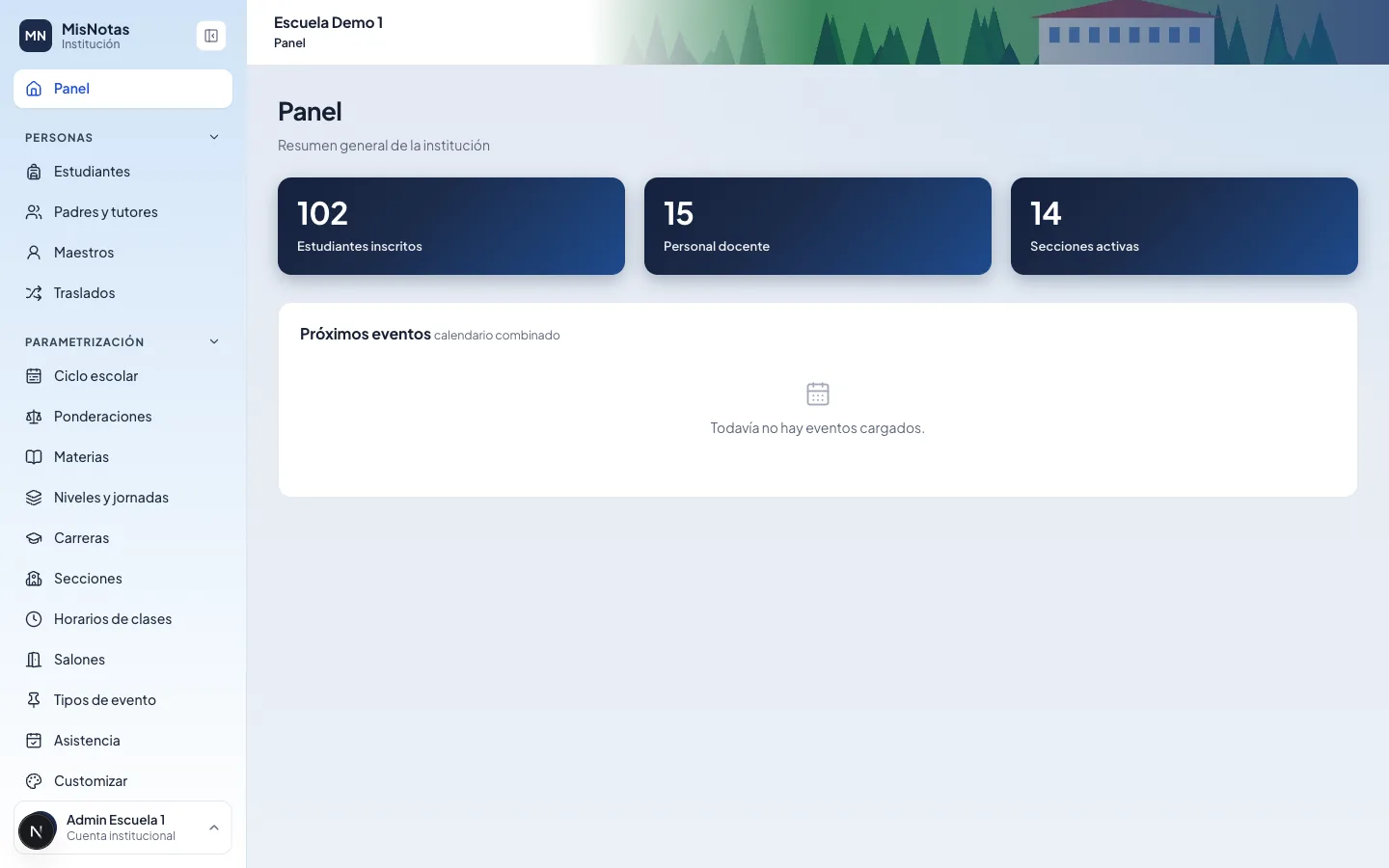
- Students, teachers and sections
- Attendance and grade reports
- Accounts, payments and overdue balances
School platform made in Guatemala
Grades, attendance, homework, parent communication, payments and school bus. For school leaders, teachers, parents and students, on the web and on their phones.
Who it's for
Everyone signs in with their own account and sees what's theirs.
Features
No loose sheets or group chats: everything is recorded and at hand.
Coursework and exam with the school's weighting, passing grade, term closing and a report card ready to print.
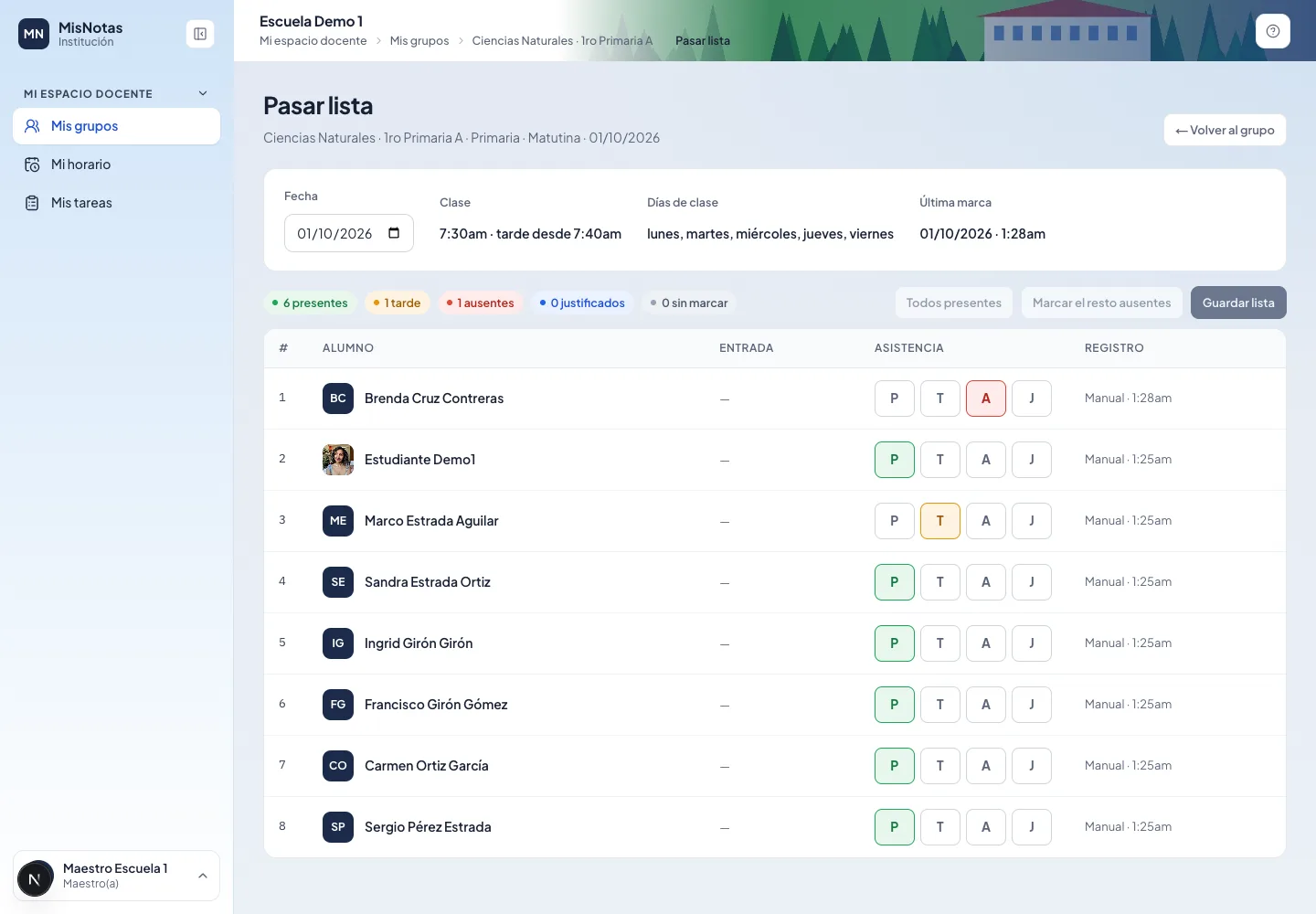
Check-in at the gate with the app's QR or a printed ID card, attendance per class and reports of who was absent.
Teachers publish, students submit photos or PDFs from their phone and get reminders before the due date.
Announcements, calendar and private messages by topic between parents, teachers and the school, with phone alerts.
Tuition, receipts, late fees and account statements parents see in the app and pay with a transfer receipt.
The bus monitor records who gets on and off; the cafeteria charges the student's account with limits and allergies.
Ministry of Education curriculum included, high school tracks and section schedules with conflicts in plain sight.
Step-by-step guided setup and student and teacher import from Excel, with a review before saving.
Each staff member sees only the screens they need: front office, coordination, accounting, gate.
See it
Screens shown in Spanish, as used by schools in Guatemala.
Getting started
01
We show you MisNotas with sample data and answer your questions about your school.
02
Levels, school year, sections, subjects and schedules with the guided setup; students and teachers from Excel.
03
Teachers, parents and students get an email invitation and sign in on the web or the phone app.
Security
We handle information about minors. That's why every permission is checked on the server and no one sees more than they need.
Contact
Tell us about your school and we'll show you MisNotas. No commitment.
Your school sends you an email invitation. Use it to choose your password and sign in to the MisNotas app.